The best luggage trackers
A tracker will not stop your bag being lost. It will let you tell an airline exactly where it is, which is the part that gets it back faster.
By Michael W. · Last updated September 22, 2026
We earn a commission when you buy through our links, at no extra cost to you. It never changes what we pick or how we rank it. How we’re funded.
Luggage trackers are frequently sold as a way to stop bags being lost. They do not do that. What they do is change the conversation with the airline, from you asking where your bag is to you telling them - which, in every account of how this plays out, is what shortens a three-day delay into a one-day one.
The technology is simpler than the marketing suggests. These are Bluetooth beacons, not GPS devices. They have no cellular connection and no satellite fix. They work by being detected by other people's phones and reporting that location back, which means a tracker's usefulness is entirely a function of how many compatible phones are near your bag. That single fact decides which one you should buy.
Batteries and checked bags
Spare lithium batteries and power banks must travel in carry-on baggage and are prohibited in checked bags. A coin-cell tracker installed in a device is generally fine in a checked bag, but airline policies on electronic devices in checked luggage do vary. Check your carrier's dangerous goods page if you are unsure.
Quick picks
The short list. Tap any row for the full write-up, including what each one is bad at.
| # | Product | Best for | Price |
|---|---|---|---|
| 1 | Apple AirTag The largest detection network by a wide margin - which is the whole product. | iPhone households | |
| 2 |  Chipolo ONE Point Works with Google's Find My Device network, which is the Android equivalent. | Android households | |
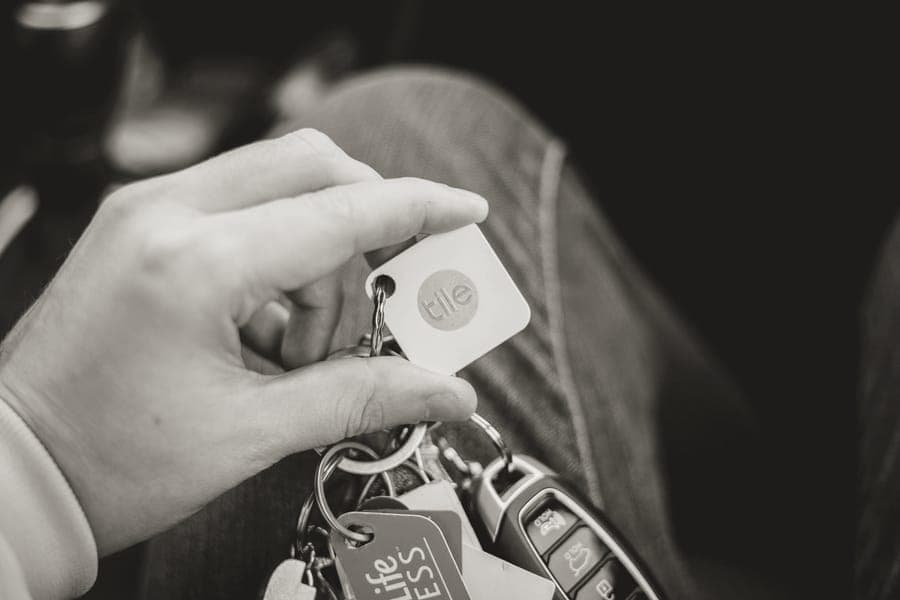
| 3 |  Tile Mate Works on iOS and Android, on Tile's own network rather than either giant's. | Mixed-platform households | |
| 4 |  Chipolo CARD Spot Credit-card shaped, so it sits flat in a laptop sleeve or a document pocket. | Flat spaces in a packed bag |
The one to buy if you carry an iPhone, and it is not close
Apple AirTag
If you have an iPhone, this is the answer. A Bluetooth tracker is only as good as the density of compatible phones around your bag, and Apple's Find My network is the largest such network in the world by a very large margin. In an airport, that means a location update within minutes rather than hours.
The specs that decide it
- Network: Apple Find My - the largest detection network available
- Requires: An iPhone or iPad. It does not work with Android
- Battery: User-replaceable coin cell, roughly a year
Flaws but not dealbreakers
It is useless to Android users - there is no app and no functionality. There is also no loud speaker worth mentioning, so finding it inside a bag in a noisy baggage hall relies on the phone's direction-finding rather than sound.
The one for Android, on Google's network
Chipolo ONE Point
Android users have a real network now, and a tracker built for it is the right choice rather than a compromise. Coverage is not yet at the density of Apple's, but in an airport - where the phone density is extremely high regardless of platform - that gap matters far less than it does on a quiet road.
The specs that decide it
- Network: Google Find My Device - the Android equivalent network
- Requires: An Android phone
- Sound: A genuinely loud speaker, which helps at close range
Flaws but not dealbreakers
Google's network is less dense than Apple's, so updates in low-traffic locations are slower. Network coverage also varies by country in ways that are hard to predict before you travel.
The one for households with both kinds of phone
Tile Mate
If your household runs both platforms, or you switch phones, a cross-platform tracker avoids buying twice. Tile's own network is smaller than Apple's or Google's, which is the cost of that flexibility - but it is a real network and it works in both directions.
The specs that decide it
- Network: Tile's own network - smaller than Apple's or Google's
- Works with: Both iOS and Android
- Sound: Loud ring, which is the feature Tile has always done well
Flaws but not dealbreakers
The network is materially smaller than the two platform networks, which is the entire performance metric for this kind of device. Some features also sit behind a subscription, which is worth checking before you buy.
The one that slides flat into a pocket or a wallet
Chipolo CARD Spot
A disc tracker in a packed suitcase ends up under everything and presses into your clothes. A card-format tracker slides into the flat document pocket most bags have, stays there, and is easy to move between bags. It also works in a wallet, which is its other obvious use.
The specs that decide it
- Format: Credit-card shape - fits flat pockets and document sleeves
- Network: Apple Find My on the Spot model - check the variant you buy
- Battery: Non-replaceable on most card-format trackers
Flaws but not dealbreakers
Card trackers generally have non-replaceable batteries, so when it dies the whole device is disposable. They are also more expensive than a disc for the same network access.
How they compare
| Pick | Network | Phone required | Battery | Best for |
|---|---|---|---|---|
| Apple AirTag | Apple Find My (largest) | iPhone only | Replaceable coin cell | iPhone users |
| Chipolo ONE Point | Google Find My Device | Android | Replaceable | Android users |
| Tile Mate | Tile (smaller) | iOS or Android | Varies by model | Mixed households |
| Chipolo CARD Spot | Apple Find My | iPhone | Non-replaceable | Flat pockets |
How these actually work, and what they cannot do
A Bluetooth tracker broadcasts a signal a few meters. It has no GPS receiver and no cellular radio. When a compatible phone passes within range, that phone anonymously reports the tracker's location to the network, and you see that report in your app.
- In an airport, they work very well. Phone density is extremely high, so updates are frequent and accurate to a terminal or a baggage area.
- In a cargo hold at altitude, they do not work at all. No phones, no updates. The tracker will show its last known position, which is usually the departure airport.
- In a remote warehouse or on a truck, they work intermittently. Updates depend entirely on someone with a phone walking past.
- They cannot be used to track a person's movements in real time. Both major networks include anti-stalking alerts that notify someone if an unknown tracker is traveling with them.
So the realistic expectation is this: you will know which airport your bag is at, and usually which part of it. That is genuinely valuable - it is the difference between an airline telling you the bag is 'in the system' and you telling them it has been in Charles de Gaulle baggage services for eleven hours.
How we chose these picks
Network density above everything else, because it is not one feature among many - it is the product. A tracker on a sparse network is a coin cell in a plastic case. Then which phone you carry, which determines the network available to you. Then battery replaceability, since a sealed tracker is disposable. Then format, which decides where in the bag it can live.
We have not tested detection latency in airports ourselves and we do not run a testing lab. Network coverage claims here reflect the publicly documented structure of each network rather than our own measurements - our methodology sets out the distinction.
What we passed over
- GPS trackers with a SIM and a monthly fee. They genuinely work in a hold, but the subscription cost over a few years exceeds the value of most bags and the battery needs charging.
- Unbranded trackers on proprietary apps. No network means no detection, which means no product. These are the most common thing sold in this category and the least useful.
- Trackers with non-replaceable batteries at disc prices. A disposable device at a rechargeable price is a poor trade.
- Smart luggage with built-in trackers. Several airlines restrict non-removable batteries, and you cannot move the tracker to a different bag.
How to use a tracker properly
- Put it inside the bag, not on the outside. An external tracker is removable by anyone. Inside a packed suitcase it works fine and cannot be detached.
- Put it somewhere you can describe. If you need to tell an airline where the tracker is, 'in the front pocket' is more useful than 'somewhere in the bag'.
- Check the battery before a long trip. A coin cell lasts about a year, and it will die on the trip that matters if you never check it.
- Screenshot the location before you talk to the airline. A timestamped screenshot is a far more effective thing to show a baggage desk than a live app you have to explain.
- Pair it with a [luggage tag](/luggage/best-luggage-tags). The tracker tells you where the bag is; the tag tells whoever finds it where to send it.
Airline rules on trackers
Coin-cell trackers installed in a device are generally accepted in checked baggage, and several major airlines have explicitly confirmed their position on Apple AirTags specifically after earlier confusion. The general lithium battery rules are the ones to know: spare batteries and power banks must be in carry-on baggage and are prohibited in checked bags.
That prohibition is about spare and uninstalled batteries, not about a coin cell inside a working device. If you are carrying a power bank, that is the item the rule is aimed at, and it comes out of the checked bag before you hand it over.
Frequently asked questions
Do luggage trackers actually work?
Can you put an AirTag in checked luggage?
Which luggage tracker is best for Android?
Should the tracker go inside or outside the bag?
Will a tracker stop my bag getting lost?
Read next
- Best luggage tags
- Best checked luggage
- Best power banks for travel
- Carry-on size by airline
- Best luggage for international travel
More in Luggage, or see every roundup and comparison on the site.