The best luggage trackers for Android
An AirTag is the default answer to a lost bag, and it is useless if your phone is not an iPhone. Here is what to buy instead, and why the network matters more than the hardware.
By Michael W. · Last updated October 11, 2026
We earn a commission when you buy through our links, at no extra cost to you. It never changes what we pick or how we rank it. How we’re funded.
The best luggage tracker for an Android phone is the Chipolo POP, paired to Google's Find Hub network, and it costs nothing per month to run. Apple's AirTag is the product everybody names and it has no Android app at all - not a limited one, not a paid one, none - so for roughly half of travelers the default recommendation is the wrong answer to the question they asked.
What actually finds a bag is not the tracker. It is the finding network: the millions of other phones that quietly report a tracker's Bluetooth signal as they walk past it. Apple's network is iPhones. Google's network is Android phones. Tile runs its own, much smaller one. A tracker is only as good as the network it reports into, which means the right purchase is decided by the phone in your pocket before you look at a single specification.
One tracker, one network
The two Chipolo picks below can join either Google Find Hub or Apple Find My - but you choose which at pairing time and it cannot be on both at once. If your household mixes iPhone and Android, decide whose phone is doing the finding before you pair.
Quick picks
The short list. Tap any row for the full write-up, including what each one is bad at.
| # | Product | Best for | Price |
|---|---|---|---|
| 1 | 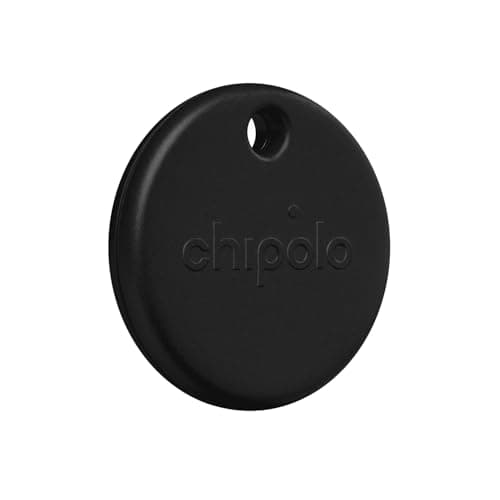 Chipolo POP Rides Google's Find Hub network, which is every Android phone on the planet, with no subscription. | Android users who want AirTag-equivalent range | $29.00View on Amazon #ad Price as of October 10, 2026. How we’re funded |
| 2 | 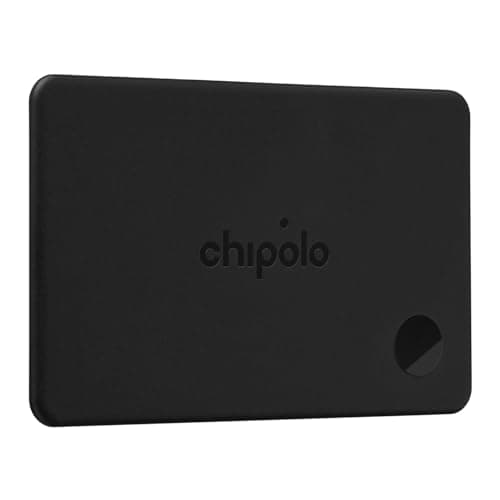 Chipolo CARD Credit-card shaped, so it lies flat inside a packed bag instead of needing something to hang off. | Laptop sleeves, document pockets and wallets | $38.99View on Amazon #ad Price as of October 10, 2026. How we’re funded |
| 3 | 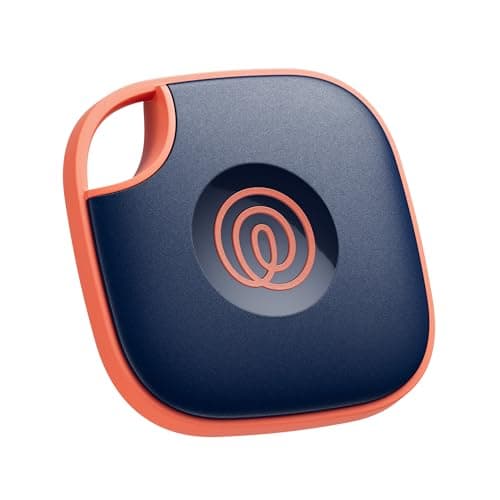 Life360 Tile The only pick here that works on iOS and Android at the same time - on a smaller network. | Households running both iPhone and Android | $24.99View on Amazon #ad Price as of October 10, 2026. How we’re funded |
The one to buy if your phone is an Android
Chipolo POP
This is the closest thing to an AirTag that an Android user can actually use. Pair it to Google Find Hub and it reports into the same crowd-sourced network that finds lost Android phones, which means coverage at every airport, station and baggage hall where somebody is carrying an Android handset - a far larger population than Tile's network and roughly comparable to Apple's. There is no monthly fee, and the 120 dB ring is genuinely useful once you are in the same room as the bag.
The specs that decide it
- Network: Google Find Hub or Apple Find My - you pick one when you pair it
- Requires: A phone on whichever network you choose; it cannot join both at once
- Sound: A 120 dB ring, which helps at close range
- Subscription: None
Flaws but not dealbreakers
Choosing the network at pairing is a one-way door for that device, so a tracker bought for an Android phone is not simply handed to somebody on an iPhone later. The keyring format also needs somewhere to attach - it is not a flat card and it will not slide into a document sleeve.
#ad Price as of October 10, 2026. How we’re funded
The one for a bag with no loop, pocket or zip pull
Chipolo CARD
Plenty of bags have nowhere sensible to clip a keyring tracker - a soft duffel, a laptop sleeve, the document pocket on a garment bag. A card-format tracker slides flat into any of those and disappears, which also means somebody rifling the bag is less likely to spot it and bin it. It joins the same Google Find Hub network as the POP above, so the finding behaviour is identical; only the shape changes.
The specs that decide it
- Format: Credit-card shape - fits flat pockets and document sleeves
- Network: Apple Find My or Google Find Hub - you pick one when you pair it
- Battery: Rechargeable on a Qi pad, about a year per charge; no charger included
- Subscription: None
Flaws but not dealbreakers
It needs a Qi wireless charging pad once a year and no charger comes in the box, so if you do not already own one that is an extra purchase to keep a tracker alive. A flat card is also harder to hear through a packed bag than a keyring unit hanging on the outside.
#ad Price as of October 10, 2026. How we’re funded
The one that works from either phone, at a cost
Life360 Tile
If one of you has an iPhone and the other an Android, every network-locked tracker becomes an argument about whose phone is doing the finding. Tile sidesteps it: the app runs on both platforms and either of you can see the bag. That flexibility is the reason to buy it, and you pay for it in network density - Tile's finding network is its own user base, not every phone in the terminal.
The specs that decide it
- Network: Tile's own network - smaller than Apple's or Google's
- Works with: Both iOS and Android
- Sound: Loud ring, which is the feature Tile has always done well
- Best use: Short-range finding, not transatlantic bag recovery
Flaws but not dealbreakers
A smaller network is not a minor caveat on a lost checked bag - it is the whole function. In a quiet regional terminal a Tile may simply never be seen by another Tile user, where a Google Find Hub tracker would be picked up by the next Android phone to walk past. Tile also upsells paid tiers for features the Chipolos include free.
#ad Price as of October 10, 2026. How we’re funded
How the Android-compatible trackers compare
| Pick | Finding network | Works on Android | Subscription | Main flaw |
|---|---|---|---|---|
| Chipolo POP | Google Find Hub | Yes | None | Network choice is locked at pairing |
| Chipolo CARD | Google Find Hub | Yes | None | Needs a Qi pad you may not own |
| Life360 Tile | Tile's own, smaller | Yes | Free tier, paid upsells | Thin network coverage |
| Apple AirTag | Apple Find My | No - no app at all | None | Unusable without an iPhone |
Why an AirTag is not an option on Android
This is worth stating plainly, because the internet is full of AirTag recommendations with no platform caveat attached. Apple publishes no Android app for the AirTag. You cannot pair one, you cannot name one, and you cannot see where one is. Android phones can detect a nearby unknown AirTag - that is an anti-stalking feature built into Android, not a way to use one - and they can read the contact details off a lost AirTag by tapping it. Neither of those lets you track your own bag.
So if you are on Android, the question is not "AirTag or alternative". It is which Google Find Hub tracker to buy. Our broader luggage tracker roundup covers the iPhone side of the same decision, and AirTag vs Tile for luggage sets out why network density beats every other specification.
What Google Find Hub actually does with a bag
A Bluetooth tracker has no GPS and no cellular radio. It broadcasts an encrypted identifier a few times a minute, and any participating phone that hears it reports the sighting - with that phone's own location - back to the network. You then see the last place somebody's phone heard your tracker.
- In a busy terminal it updates often, because hundreds of phones pass the bag every hour.
- In a baggage hall at 3am it may not update at all until the first shift arrives.
- In a sealed cargo container it will not update, and that is normal rather than a fault.
- On a ramp or in a sorting tunnel updates are sporadic, which is why a tracker tells you the bag's city but rarely its exact belt.
That is still enormously useful. Knowing a bag is in Frankfurt when the airline's system says it is in Chicago changes the conversation at the baggage desk entirely, which is the practical case made in what to do if the airline loses your luggage.
The subscription question
Autocomplete suggests "luggage tracker for android without subscription" for a reason: several tracker brands sell the hardware cheaply and charge monthly for the features that make it work. Both Chipolo picks here are subscription-free - the finding network belongs to Google, not to Chipolo, so there is nothing to bill you for. Tile offers a free tier and sells paid upgrades on top of it.
Watch for the cellular ones
A handful of luggage trackers use cellular rather than Bluetooth and genuinely do need a data plan. They work in places a Bluetooth tracker cannot, and they also go dead the month you forget to pay. For a suitcase, a free network-backed Bluetooth tracker is the better trade almost every time.
Where to put the tracker in the bag
Deep in the middle of a packed case, surrounded by clothes, is the worst place - fabric and water absorb a 2.4 GHz signal surprisingly well. Put it in an outer pocket, a lid pocket, or clipped inside the top of the main compartment where the signal has less to get through.
Do not attach it to the outside where it can be unclipped, and do not put it in the same pocket as anything you would hate to lose. A tracker is a locator, not a lock. The things that should never ride in the hold at all are listed in what not to pack in checked luggage.
Frequently asked questions
Does an AirTag work with an Android phone?
What is the best luggage tracker for Android without a subscription?
Can one tracker work on both Android and iPhone?
Are Bluetooth trackers allowed in checked baggage?
Sources
Read next
- Best luggage trackers
- AirTag vs Tile for luggage
- Are luggage trackers worth it?
- If the airline loses your luggage
- Power bank rules for flights
More in Luggage, or see every roundup and comparison on the site.